Your AI fleet,one chat away.
Agent Engineering Daemon — manage coding agents from Telegram, Discord or the browser. 7 backends, fleet mode, agent collaboration, zero babysitting.
macOS · Linux · Windows (WSL) · MIT License
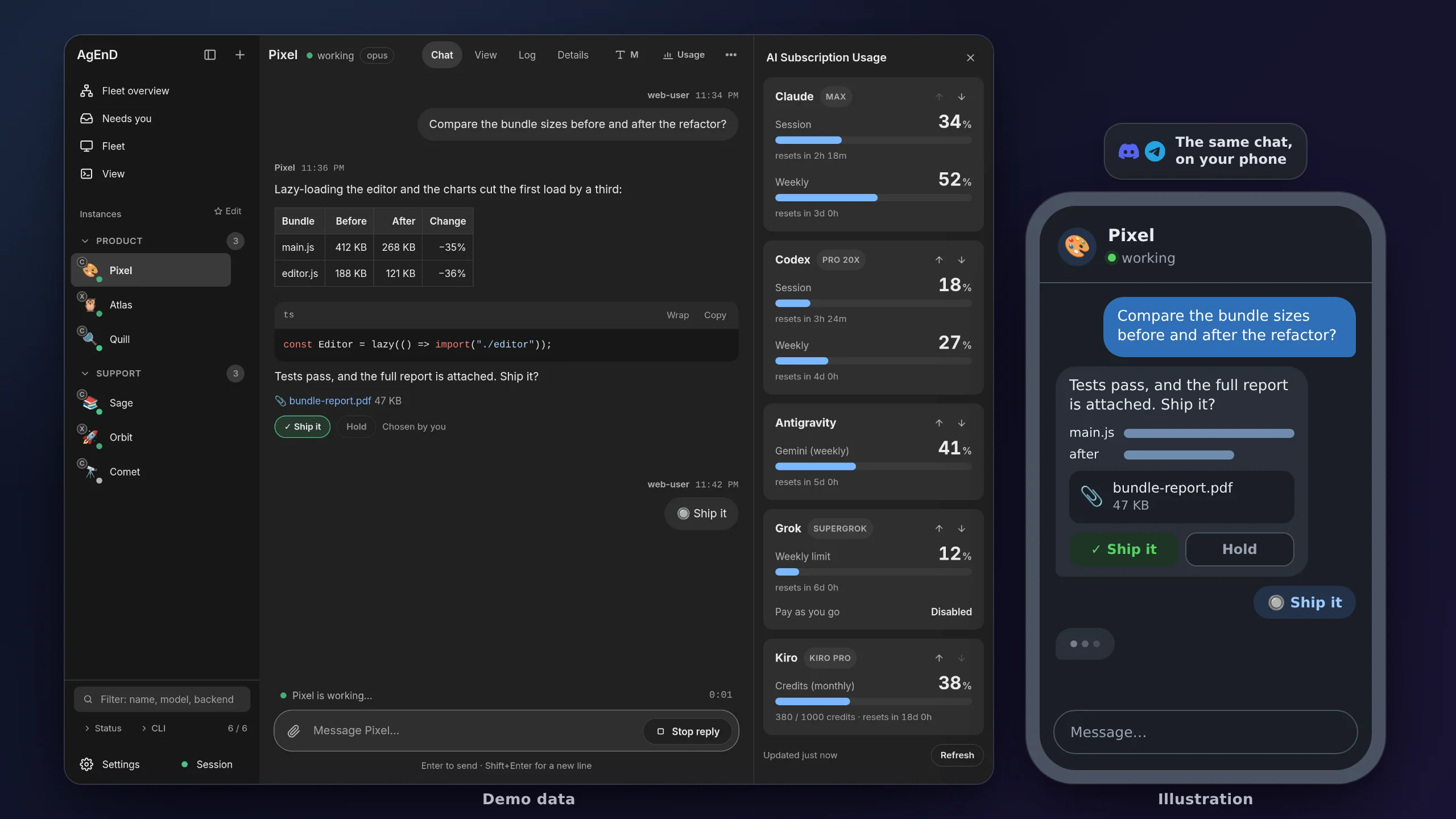
THE PROBLEM
Why AgEnD?
Close the terminal, agent goes offline
System daemon — survives reboots, zero babysitting
One terminal = one project, no multitasking
One bot on Telegram & Discord, unlimited projects in parallel
Agents work in silos, can't coordinate
MCP peer-to-peer collaboration, auto-delegation
SEE IT IN ACTION
Everything in your browser
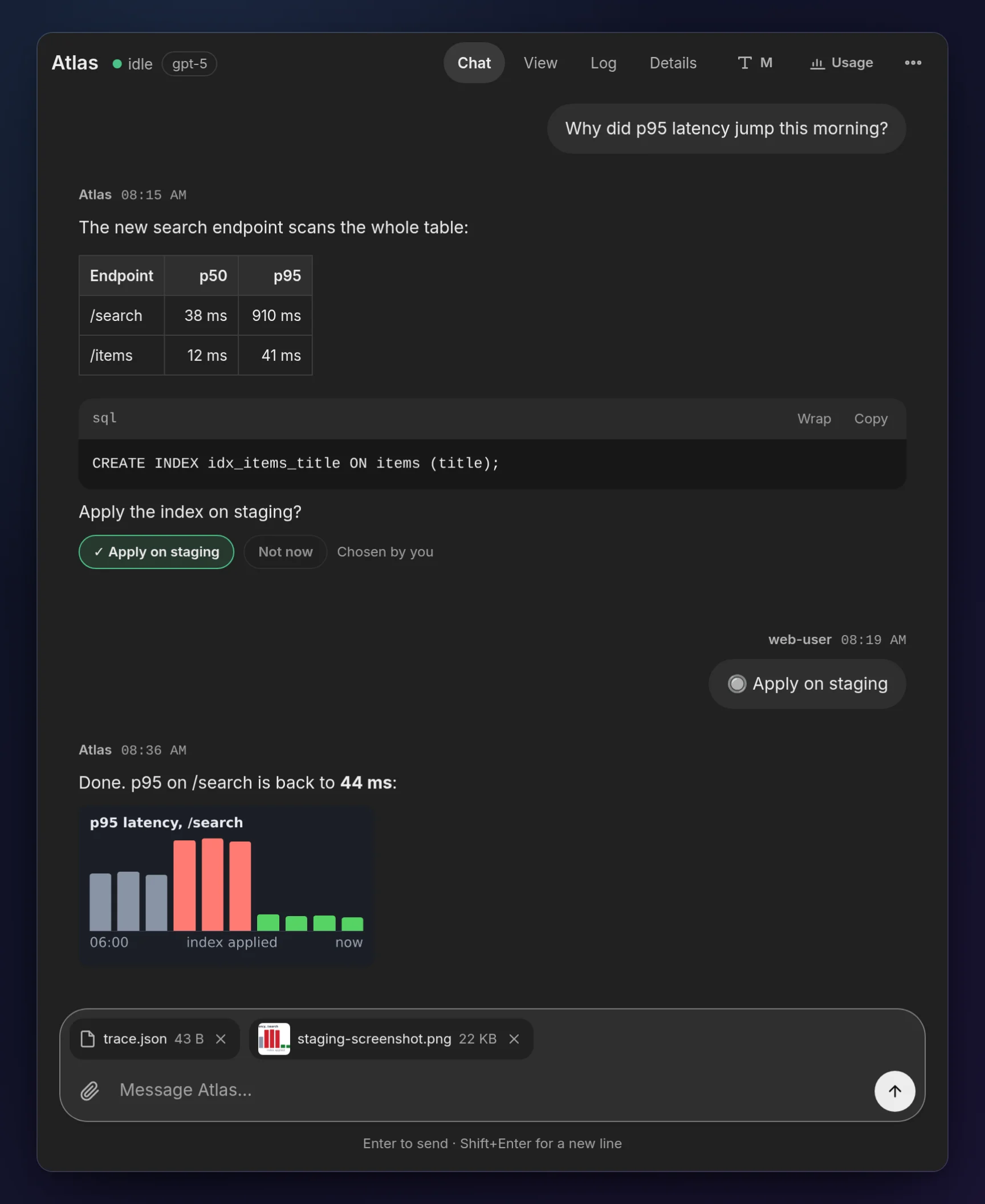
Web Chat
Talk to each agent from a browser — same conversation as your Telegram or Discord topic. Send files, click reply buttons, see a live preview of HTML the agent sends. Works on a phone.
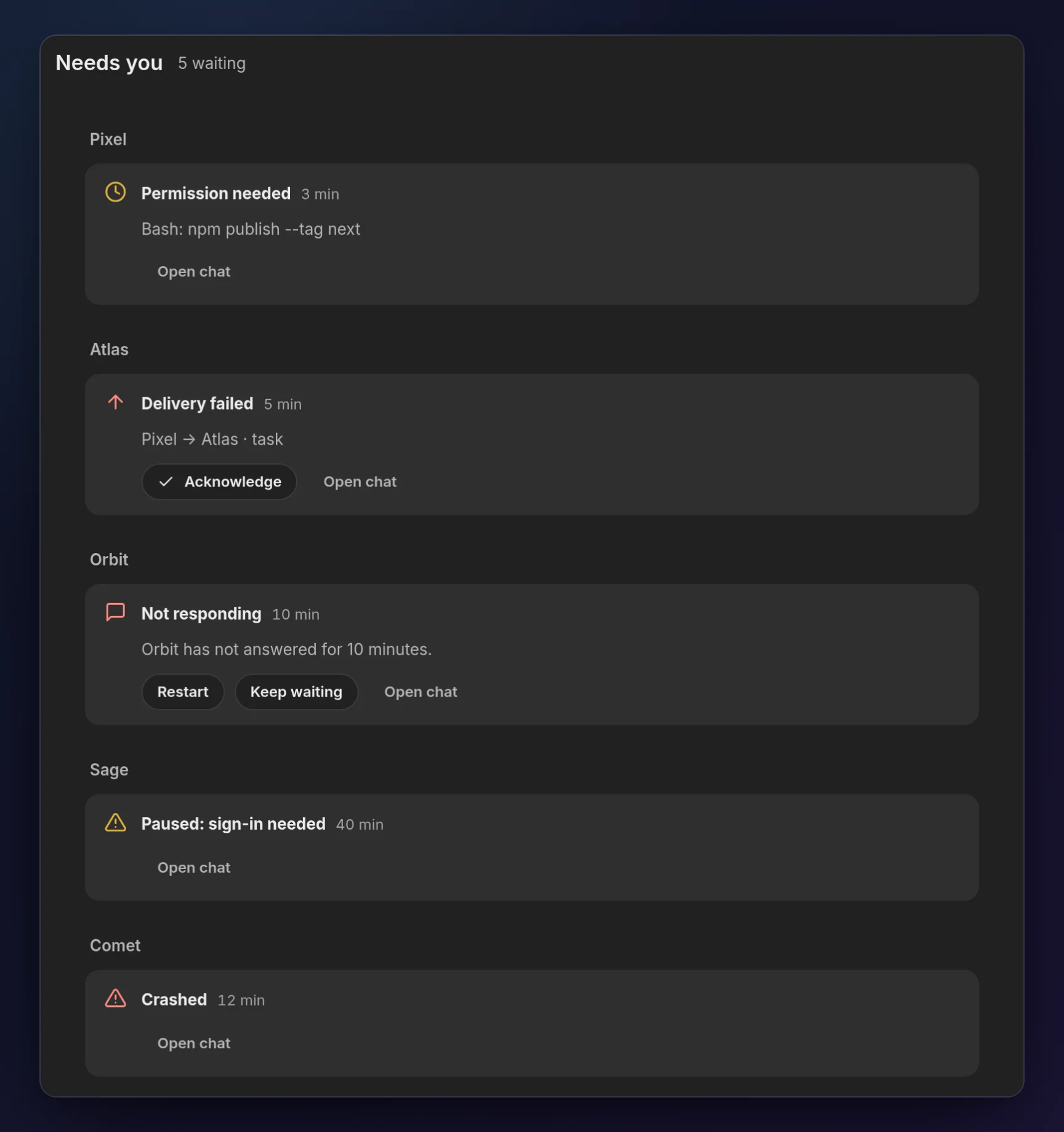
Needs You
Every permission request, failed delivery, and waiting agent collected in one live list — in General and on the web. Handle it anywhere, and it leaves every list.
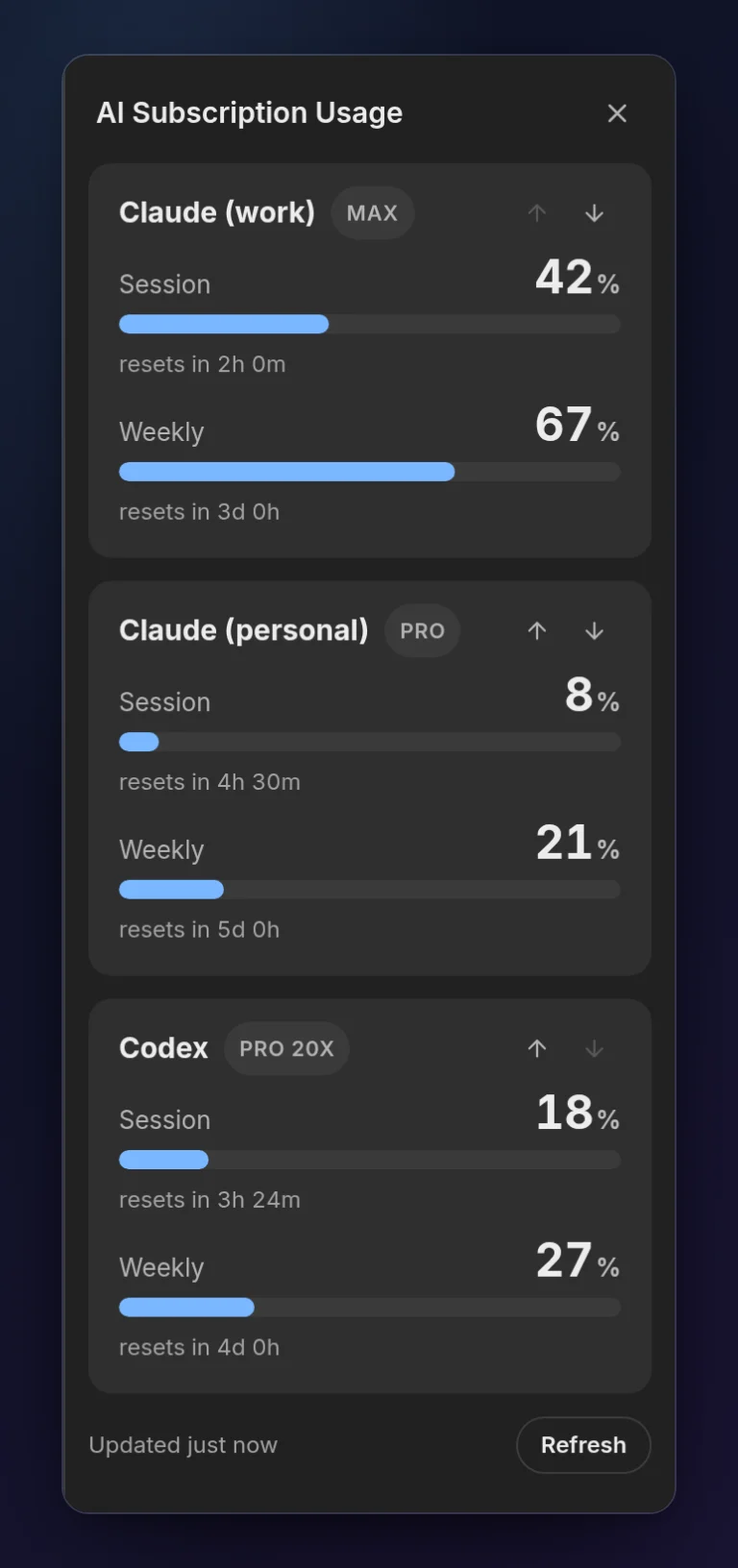
Usage & Subscriptions
One row per subscription. Run agents on a second Claude account with credential profiles — sign it in from chat with /login, and usage shows each account separately.
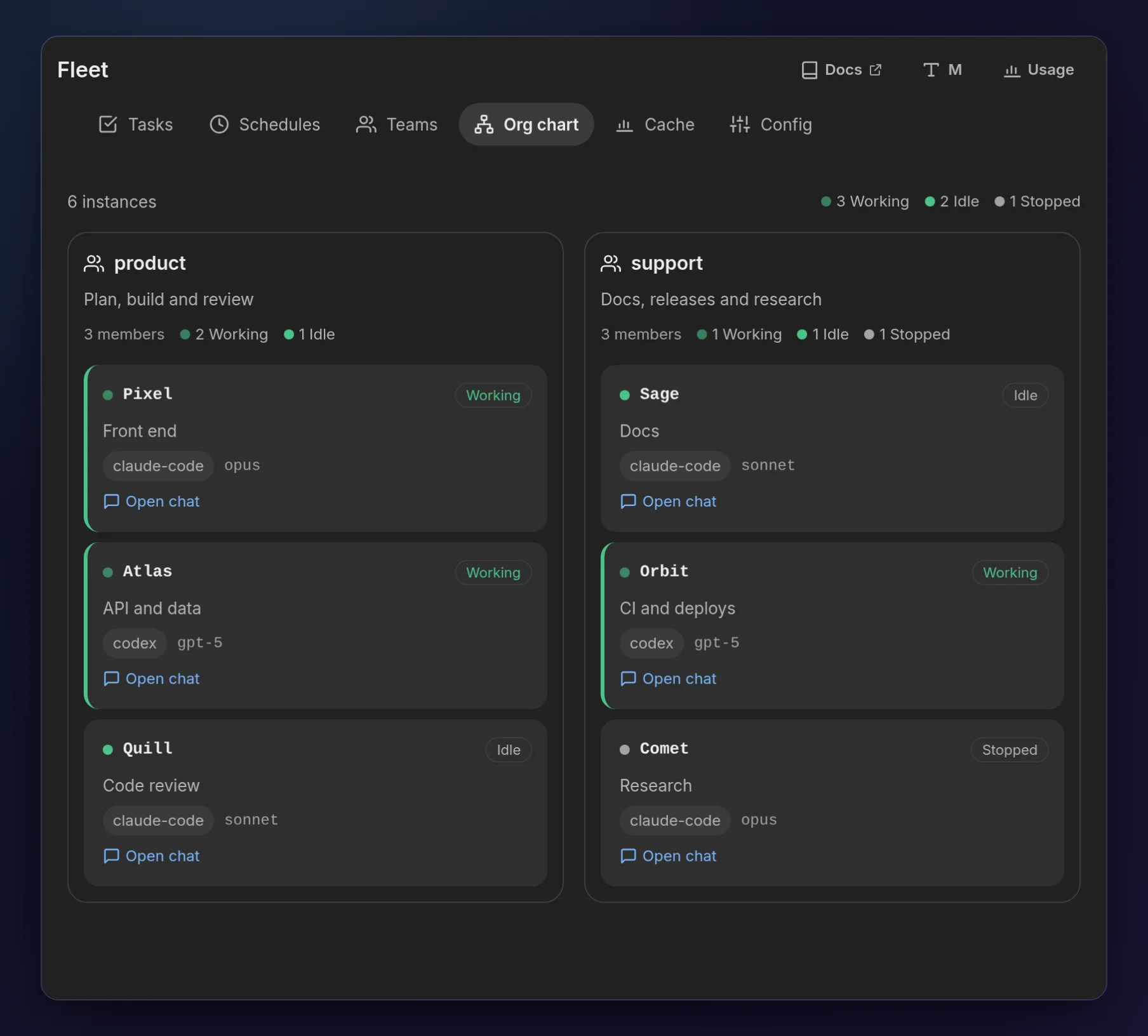
Fleet Overview
An org chart shows every agent with its live state. Manage schedules, teams and agent details on the web. The cache page shows how often each agent's prompt cache expires.
CAPABILITIES
Everything you need to run a fleet
Web Chat & Dashboard
Chat with each agent in the browser. Files, HTML previews, Stop, reply buttons — same conversation as your chat app. No chat platform needed for a fresh setup.
Needs You
Every prompt, permission and sign-in waiting on you, in one live list in General and on the web. Handle it anywhere and it disappears everywhere.
Credential Profiles & /backend
Run agents on a second Claude, Codex or Kiro account. Sign a Claude profile in from chat. /backend switches an agent to another CLI in one step.
One-step /update
Send /update in General. AgEnD fetches, installs, and restarts — with a progress message for each step. Brings its own Node on Linux and macOS so you don't have to upgrade.
Fleet Mode
N projects, each a Telegram topic or Discord channel. Independent sessions with crash recovery and automatic context compaction.
Multi-Backend
Claude Code, Codex, Antigravity, Kiro CLI, Grok, Meta Muse Code, OpenCode. Switch or mix freely, or add a second subscription of the same backend.
Agent Collaboration
MCP tools for discovery, delegation, and result reporting between agents. The General instance routes tasks and reports back.
Mobile Control
Approve tool use, restart sessions, manage your fleet from Telegram or Discord buttons — or from the web dashboard on your phone.
Cost Guard
Per-instance daily spending limits stop the instance at its limit and notify you.
Model Failover
Auto-switch to a backup model on rate limits with a 5-minute cooldown. Configure model_failover per instance in fleet.yaml.
Persistent Schedules
Cron-based tasks backed by SQLite. Survives restarts. Edit schedules on the web.
Settings UI
Web-based fleet config. Agent-centric design, validate-before-write, confirmation for sensitive changes.
Multi-Bot
Multiple persona bots in the same Discord channel with owner-wins routing.
i18n
Full EN/繁中 localization. Auto-detect from timezone or fleet.yaml.
Config Validator
agend validate — catch config errors before they crash your fleet.
Voice Messages
Groq Whisper transcription — talk to your agents.
HTML Export
Export sessions as standalone HTML for sharing or archiving.
GET STARTED
Up and running in minutes
One-liner (macOS / Linux)
Installs Node.js (via nvm), tmux, agend, then launches the wizard. Or step through manually below.
Windows?See the Windows Installation Guide
Need to create the bot first?Telegram bot setup·Discord bot setup
Install
Setup
Launch
Open Telegram, Discord or the web dashboard, send a message, start coding from your phone.
HOW IT WORKS
From your phone to your fleet
You
Send a message to your Telegram or Discord bot
General Topic
Interprets natural language, routes to the right agent
Agent Fleet
Isolated tmux sessions, each with its own project and backend
Collaborate
Agents delegate tasks, share context via MCP tools
Results
Flow back to your chat. Permissions arrive as inline buttons.
You
Send a message to your Telegram or Discord bot
General Topic
Interprets natural language, routes to the right agent
Agent Fleet
Isolated tmux sessions, each with its own project and backend
Collaborate
Agents delegate tasks, share context via MCP tools
Results
Flow back to your chat. Permissions arrive as inline buttons.
BACKENDS
Supported backends
Claude Code
Anthropic
Codex
OpenAI
Antigravity CLI
Kiro CLI
AWS
Grok Build
xAI
Meta Muse Code
Meta
OpenCode
Community
Any CLI that reads stdin/stdout. Extensible via the CliBackend interface.
FAQ
Frequently asked questions
Is it free?+
Yes. Open source, MIT license. You only pay for the AI API usage.
Which backends are supported?+
Claude Code, OpenAI Codex, Antigravity CLI, Kiro CLI, Grok Build, Meta Muse Code, and OpenCode. Add your own via the CliBackend interface.
Which messaging channels?+
Telegram and Discord, plus a web chat in the browser — a fleet can even run with no bot at all. Telegram and Discord both support topic/channel-based fleet routing, plus ClassicBot mode — run /start in any channel to attach an agent — and Telegram forum topic mode for one topic per project.
Does it support Discord?+
Yes. Full support including forum topics, slash commands, ClassicBot (/start in any channel), and multi-bot same-channel (several persona bots in one channel with owner-wins routing).
Does it work on Windows?+
Yes, via WSL. A one-click PowerShell installer sets up WSL 2, your AI backends, AgEnD, and auto-start — see the Windows Installation Guide.
Does it need a server?+
No. Supports macOS 11+ with launchd, or glibc 2.28+ Linux with systemd, including WSL with systemd. Requires tmux. Alpine/musl, non-systemd Linux and native Windows are unsupported.
How do agents collaborate?+
Via MCP tools: send_to_instance, delegate_task, report_result. Agents discover each other, delegate work, and report results — all peer-to-peer.
What is the General Topic?+
A natural language dispatcher. Send any task to the General topic — it figures out which agent should handle it and delegates automatically.
How much does it cost to run?+
AgEnD itself is free. Costs come from AI API usage. Use cost guards to set daily per-instance spending limits.
Can I connect my local Claude Code?+
Yes. External sessions connect via IPC socket and appear as fleet members. See the docs for setup.